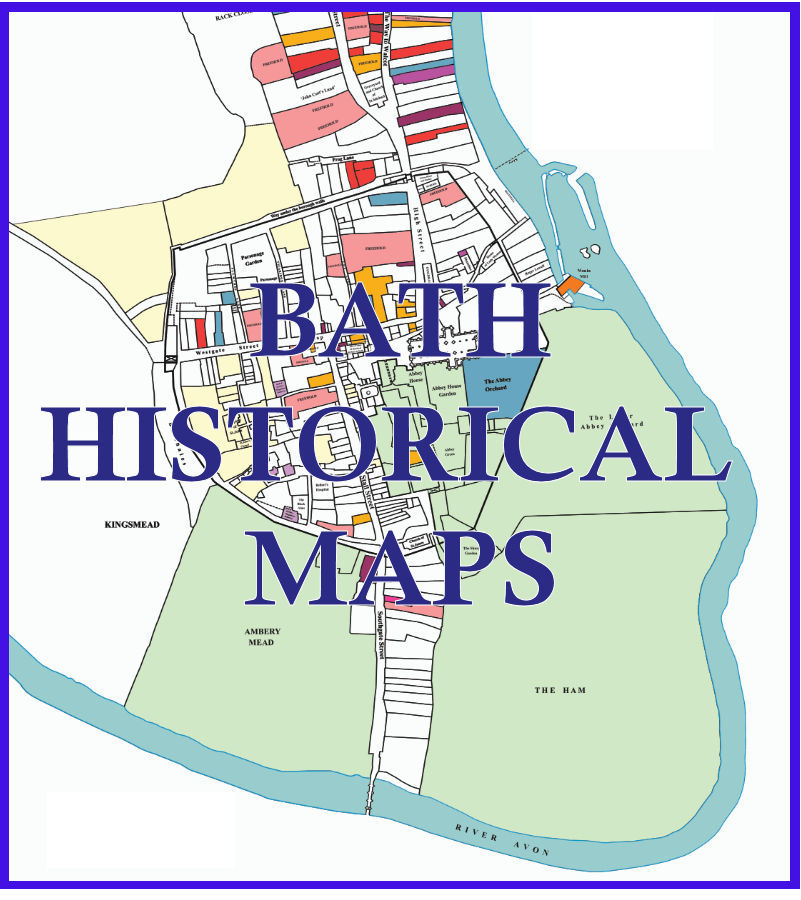
Guidance on Using the Bath Historical Maps Website
[Full details of the Maps, the Indexes, and how they were created can be found on the About The Website page]
Summary: Leasehold records held in the Bath Record Office, first indexed in 1641 then indexed again in 1776. A map then created which shows the plots of land in the city in 1641.
Terminology
The following is a list of the key terms used:- 1641 Index† An index created in 1641 of 342 leasehold deeds‡ held in Bath at that date - earliest 1565.
- 1641 Map Maps created by The Survey of Old Bath, using the 1641 Index, appearing on this website and on the reverse of the printed map published by the Historic Towns Trust.
- Furman Index‡‡ Created in 1776, 2599 leasehold deeds† held in Bath at that date - earliest 1581. The full title of the Index is Bath City Schedule, or Repository, of Deeds 1776
For Researchers, the following are held at the
City of Bath Records Office and may be viewed on appointment:
† The 1641 Index is held with the accession number BC/6/1/1/1
‡ The majority of deeds are still held - the listed Indexes show the Record Office accession number for each deed, the final number being the Furman entry number - e.g. BC/6/2/3/23
‡‡ The Furman Index is held with the accession number BC/6/2/2/1. Originally called the Furman Repetory, it is shown on this website as the Furman Index
† The 1641 Index is held with the accession number BC/6/1/1/1
‡ The majority of deeds are still held - the listed Indexes show the Record Office accession number for each deed, the final number being the Furman entry number - e.g. BC/6/2/3/23
‡‡ The Furman Index is held with the accession number BC/6/2/2/1. Originally called the Furman Repetory, it is shown on this website as the Furman Index
For an example of how the original deed relates to the two indexes and the map see Example of a Deed and Index Entries
Flexible Zoom Maps
Currently two maps of the city which the user can zoom into and make various layer selections:
Roman Map
Taking the Roman find found in the top-left corner of the printed map, showing their real position in the city:
Taking the Roman find found in the top-left corner of the printed map, showing their real position in the city:
- Show 1641 Map: a map showing individual leashold plots and the city walls
- Show Street & Place Names
- 1885 Ordnance Survey Map (background layer)
- 1951 Ordnance Survey Map (background layer)
1641 Map
This takes the two 1641 maps of the city that are found on the rear of the ‡ printed paper map and combines them into a fully zoomable map with various options to be turned on or off:
This takes the two 1641 maps of the city that are found on the rear of the ‡ printed paper map and combines them into a fully zoomable map with various options to be turned on or off:
- Show Full 1641 Map: a map showing individual leashold plot numbers - to view details of the plots you will need to use the next menu items 1641 Index Lookup or 1641 Index Search (see below)
- Show Major 1641 Landowners: landownership in 1641 split between Bath Corporation, St John‘s Hospital; Magdelne Chapel, Holloway, John Hall of Bradford, Other freehold land
- Cloth Trade in the City: Bath was a woollen processing and trade town in the late middle-ages into this period
- 1885 Ordnance Survey Map (background layer)
- 1951 Ordnance Survey Map (background layer)
Georgian Map
Taken from the Historic Towns Trust Map, two layers are available, that built before 1776 and that between 1776 and 1830 :
Taken from the Historic Towns Trust Map, two layers are available, that built before 1776 and that between 1776 and 1830 :
- Show building to 1776
- Show building from 1776 to 1830
- Show 1641 Map: a map showing individual leashold plots and the city walls
- Show Street & Place Names
- 1885 Ordnance Survey Map (background layer)
- 1951 Ordnance Survey Map (background layer)
1641 Map & Index Lookup
Offering the ability to thoroughly explore the leasehold deeds of the city in 1641:
1641 Map Index Lookup
This shows the 1641 map of leaseholdings within the city with 3 level of zoom, 100%, 150% and 200%. Each zoom level also allows for the 1885 map to be shown in the background as a useful reference point in the later city.
To use the map:
This shows the 1641 map of leaseholdings within the city with 3 level of zoom, 100%, 150% and 200%. Each zoom level also allows for the 1885 map to be shown in the background as a useful reference point in the later city.
To use the map:
- Hover over a reference number and a box will appear giving basic details of the contents of the index entry for that leasholding.
-
For a more detailed view of the index entry (see next item for details of the Individual 1641 Entry):
- left-click to open the full entry in the same window,
- or, right_click, then select ‘open in new tab‘ to open in a separate tab
1641 Index
This shows the details of the Index entries referenced on the map.
There are 3 options available:
This shows the details of the Index entries referenced on the map.
There are 3 options available:
-
View Individual 1641 Entry which offers several ways of selecting index entries:
- Select Surname: this then goes to a page which shows all of the index entries with that name for further selection
- Select 1641 Reference: 3 ways of selecting references using the references numbers
-
View All 1641 Entries - the full list offers various options:
- Sorting by Entry Number and Lease Date
- Select Entries by Surname
- Filtering Entries by Date Range
- Viewing an Entry which opens the Individual 1641 Entry page detailed above.
- Look Up a Person - this is also available on the other 1641 Pages
The Furman Index
The fourth menu item shows the Furman Index with a variety of search options:
Furman Index
This shows the details of the Index entries referenced and, through links to 1641, some are shown on the 1641 map.
There are 3 options available:
This shows the details of the Index entries referenced and, through links to 1641, some are shown on the 1641 map.
There are 3 options available:
-
View Individual Furman Entry which offers several ways of selecting index entries:
- Select Surname: this then goes to a page which shows all of the index entries with that name for further selection
- Select Furman Reference: 3 ways of selecting references using the references numbers
-
View All Furman Entries - the full list offers various options:
- Sorting by Entry Number and Lease Date
- Select Entries by Surname
- Filtering Entries by Date Range
- Viewing an Entry which opens the Individual Furman Entry page detailed above.
- Look Up a Person - this is also available on the other Furman Pages